
Service Charge Credit Notes
A credit note reduces what a unit owes. It is the right instrument when a charge was raised wrongly, when an allowance has been agreed, or when ownership changed part way through a period and the charge has to be split.
Like a charge, it belongs to the unit rather than to a person, and it is built the same way — lines under the schedule the original charge was levied through, so the income comes back off the budget code it went on to. A credit note leaves the unit’s account in credit until it is set against a charge, at which point it reduces the balance owing.
Do not use a credit note to write off a debt you have given up collecting. That is a different decision with different consequences, and belongs in the debtors list.
List View
Section titled “List View”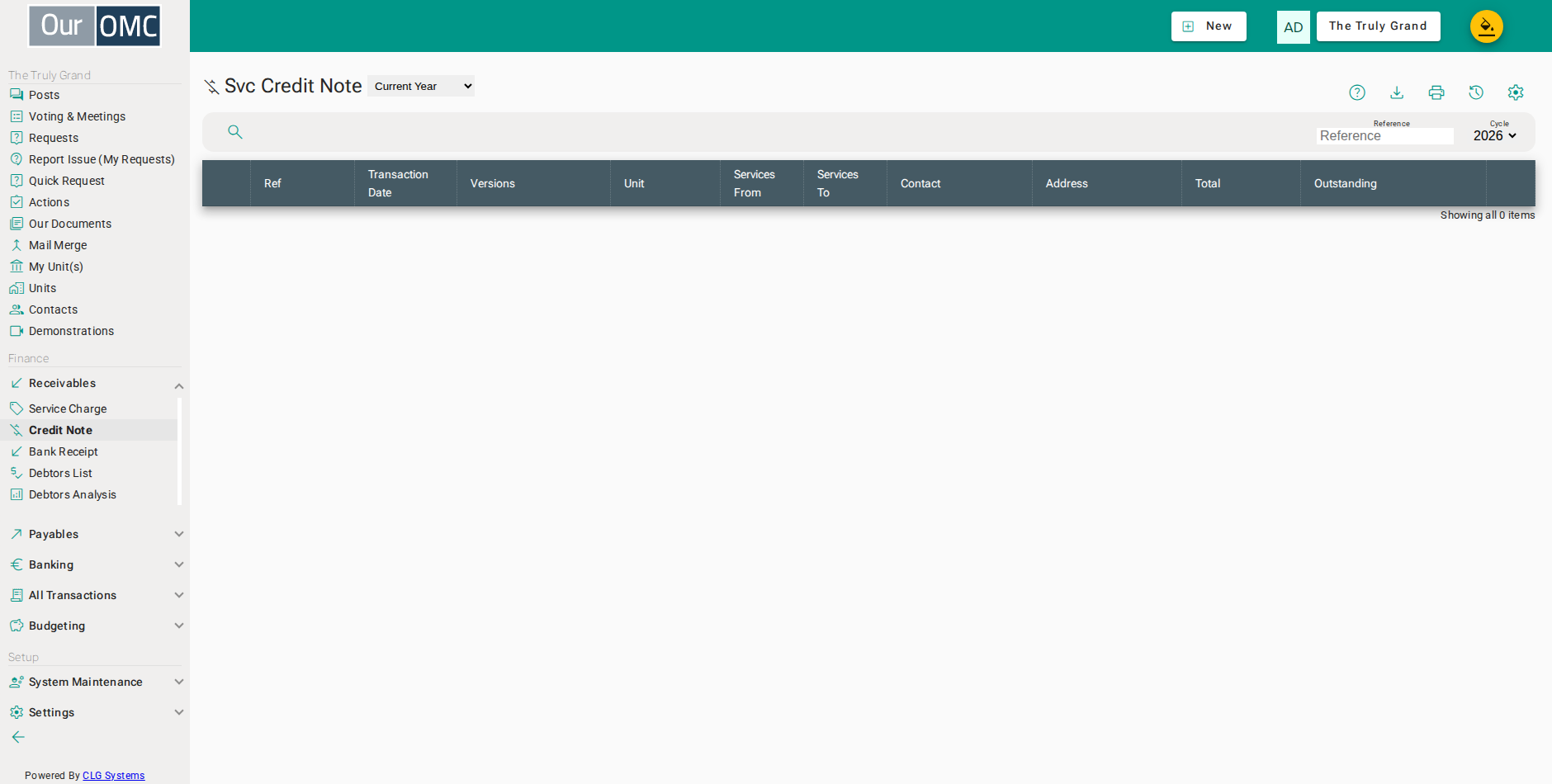
| View | Shows |
|---|---|
| Current Year | Credit notes for the current financial year; change the year filter to view a different year |
| Column | Type | Description |
|---|---|---|
| Reference | number | The system reference number for this service charge credit note. |
| Transaction Date | date | The date this credit note was issued. |
| Versions | number | The version number of this credit note. |
| Unit | picklist | The unit this credit note was issued to. |
| Services From | date | The start of the service period this credit note relates to. |
| Services To | date | The end of the service period this credit note relates to. |
| Contact | link | The contact (owner or member) this credit note is for. |
| Address | longText | The postal address for this credit note. |
| Total | number | The total credit amount on this note. |
| Outstanding | number | The amount of credit still available to be applied against outstanding invoices. |
Detail View
Section titled “Detail View”
| Field | Type | Description |
|---|---|---|
| Reference | number | The system reference number for this service charge credit note. |
| Transaction Date | date | The date this credit note was issued. |
| Versions | number | The version number of this credit note. |
| Unit | picklist | The unit this credit note was issued to. |
| Services From | date | The start of the service period this credit note relates to. |
| Services To | date | The end of the service period this credit note relates to. |
| Contact | link | The contact (owner or member) this credit note is for. |
| Address | longText | The postal address for this credit note. |
| Notes | longText | Internal notes about this credit note. |
| Total | number | The total credit amount on this note. |
| Outstanding | number | The amount of credit still available to be applied against outstanding invoices. |
| Credit Details | grid | The individual credit lines — how the credit total is broken down across budget codes and schedules. |
| Account | picklist | The budget code this credit line applies to. |
| Schedule | picklist | The lease schedule this credit is allocated to. |
| Amount | number | The credit amount for this line. |
| Notes | longText | Notes for this credit line. |
| icon | Click to remove item from list |
Crediting a unit
Section titled “Crediting a unit”Choose the unit, set the date the credit takes effect, then add a line for each income code being credited — normally mirroring the charge being corrected. The note on the credit note is what the owner reads, so say plainly what the credit is for.
- Click [Receivables / Credit Note] on the main menu
- Click on the new button to show options
- Select [New Svc Credit Note] from the new options menu
- Choose the unit being credited
- Enter the date the credit takes effect
- Click the add button to add a credit line
- Choose the income code the credit comes back off - normally the one that was charged
- Choose the schedule the original charge was levied under
- Enter the amount being credited
- Say why the credit is being given
- Add a comment for the owner - this appears on the credit note and the statement
- Click save to raise the credit note
- The total follows the lines, and the unit is in credit for it until it is set off against a charge
Related Tabs
Section titled “Related Tabs”| Main | Shows the main form fields as described above | |
| Attached Files | Files attached to this credit note. | |
| Mailings | Emails sent in relation to this credit note. |
Attached Files
Files attached to this credit note.
Mailings
Emails sent in relation to this credit note.
| Field | Type | Description |
|---|---|---|
| From | text | The sender email address. |
| To | text | The recipient email address. |
| Class | text | The type or class of this email. |
| Subject | link | The email subject line. |
| Sent | dateTime | The date and time this email was sent. |
| Size | text | The size of the email message. |
| Status | number | The HTTP response code from the mail server. |
| Attached | link | Number of files attached to this email. |
| Status Text | picklist | The delivery status of this email. |