
Debtors List
The Debtors List shows all units that have an outstanding service charge balance, along with the contact responsible, total charged, total paid, amount outstanding, and amount in arrears. A calculated score ranks debtors by severity, helping you prioritise debt collection activity.
The list includes the current arrears stage (e.g. First Warning, With Solicitor) and payment frequency arrangement, so you can see at a glance where each debtor is in the recovery process. Multiple built-in views let you filter by overdue thresholds, number of charges owing, or as at a historical date for audit purposes.
For most debtors, the primary collection tool is automated email — use Billing to send reminders on current-year charges, or Mail Merge for broader reminder campaigns. The manual phone calls and logging described below are for the more persistent cases where automated reminders have not produced results.
Working a Debtor
Section titled “Working a Debtor”Clicking a unit in the debtors list opens the full unit detail, where you can record your debt collection activity directly on the unit.
Log Completed Action is used to record any contact you have already made — a phone call, a letter, a meeting. Every time you speak to an owner about an outstanding balance, log it. If the debt ever escalates to legal proceedings, you will need to demonstrate that you made reasonable, documented efforts to collect what was owed. An OMC that cannot produce these records is at a serious disadvantage in court.
Add Reminder is used when an owner makes a commitment — for example, promising to pay by the end of the month. Set a reminder for yourself to follow up on the due date and confirm the payment arrived. If it did not, you can escalate immediately rather than letting weeks slip by unnoticed.
List View
Section titled “List View”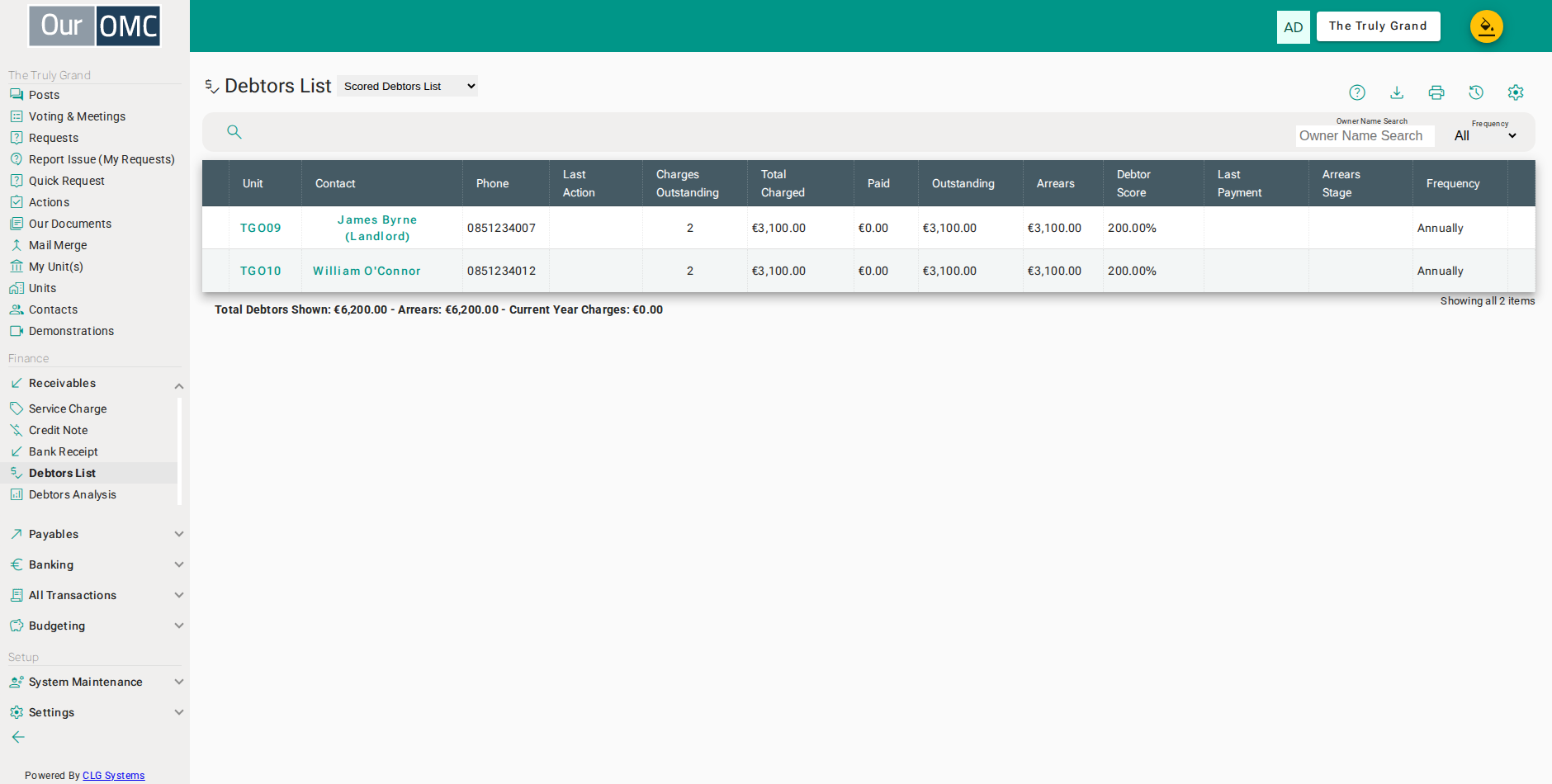
| Column | Type | Description |
|---|---|---|
| Unit | link | The unit with outstanding service charges. |
| Contact | link | The primary contact (owner or member) responsible for this debt. |
| Phone | phone | Phone number of the debtor. |
| Last Action | dateTime | The date and time the most recent debt-related action was taken. |
| Charges Outstanding | number | Number of service charge invoices currently outstanding. |
| Total Charged | number | Total amount charged across all outstanding invoices. |
| Paid | number | Total amount paid toward the outstanding invoices. |
| Outstanding | number | Total balance currently outstanding. |
| Arrears | number | Amount overdue (charged but not yet paid past the expected payment date). |
| Debtor Score | number | A calculated score indicating the relative severity of this debt situation — higher scores indicate more serious arrears. |
| Last Payment | date | The date of the last payment received from this debtor. |
| Arrears Stage | picklist | The current debt recovery stage — e.g. First Warning, With Solicitor, Judgement Obtained. |
| Frequency | picklist | The payment frequency arrangement in place for this debtor (e.g. Monthly payment plan). |
Examples
Section titled “Examples”Logging a Completed Action
Section titled “Logging a Completed Action”Record a call, letter, or meeting with a debtor immediately after it happens, so the collection history is always up to date and available if escalation is needed.
- Click [Receivables / Debtors List] on the main menu
- Open the unit with an outstanding balance — this opens the unit detail in a dialog
- Open the [Add] action menu
- Choose Log Completed Action to record what happened
- Give the action a short title so it is easy to identify in the log
- Record exactly what was discussed — this becomes the formal log entry
- Click on the save button
Adding a Reminder
Section titled “Adding a Reminder”When an owner commits to a payment, set a follow-up reminder so you are notified on the due date to confirm whether the payment arrived.
- Click [Receivables / Debtors List] on the main menu
- Open the unit to add the reminder — this opens the unit detail in a dialog
- Open the [Add] action menu
- Choose Add Reminder to schedule a follow-up
- Give the reminder a short title so it is easy to identify
- Set the follow-up date — when you expect to check back on this
- Describe what needs to be followed up — be specific so the reminder is actionable
- Click on the save button